
Upload the PDF.
Review the takeoff.
Send the bid.
For Accubid-tired shops. Fixture takeoff on the sheet. Prices from the shop book. You review.
- Count $149/mo. Bid $299/mo, contact to unlock.
- Sample is already counted. No card. No account.
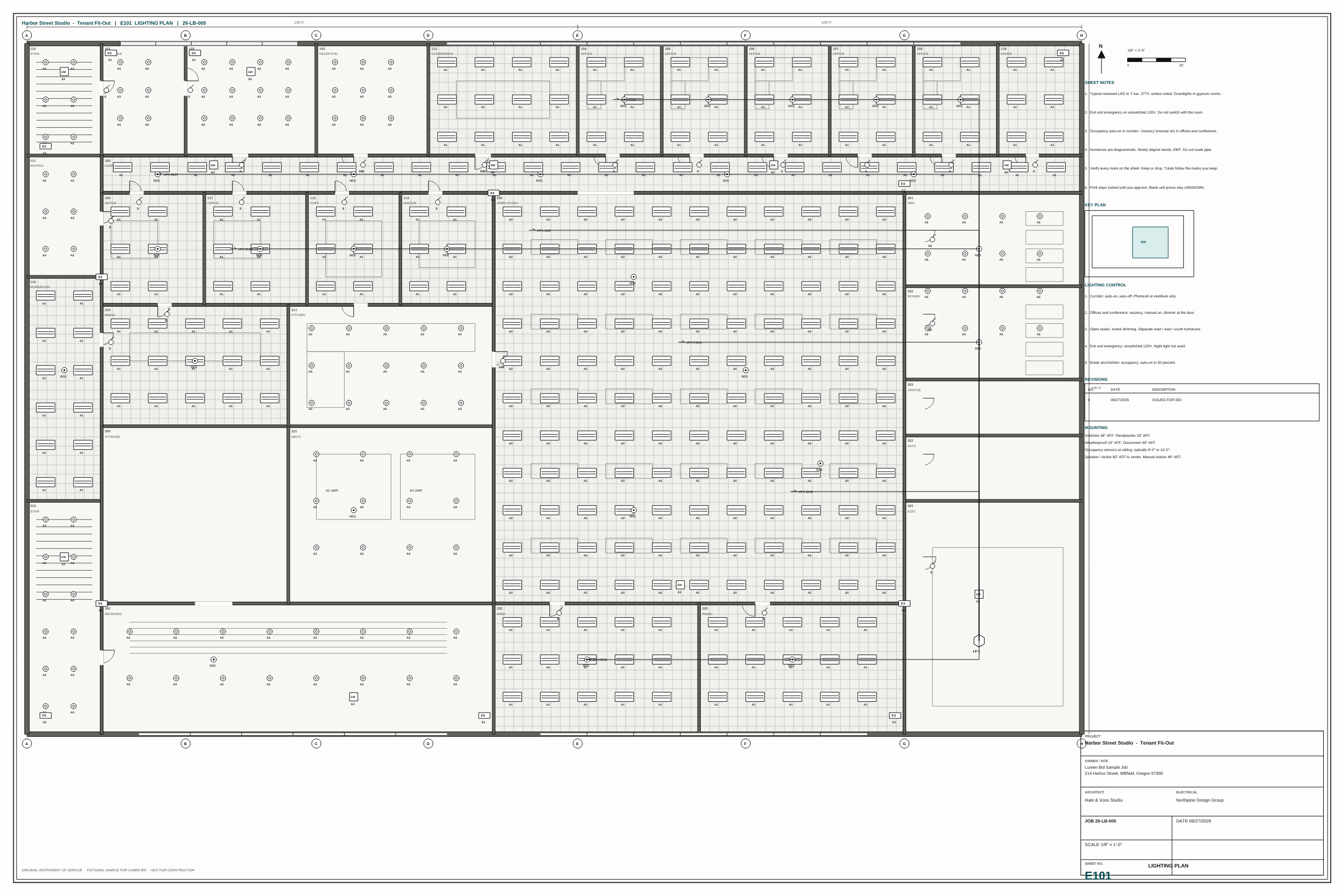
Sample drawing
Walk the sheet
Harbor Street Studio. Five sheets. Takeoff is already on Sample.
Drop the PDF. This sample is five sheets. Takeoff is already on Sample.
Why this
Built for the estimator who still stamps the letter
No class
Upload. Review. Approve. Print. No Accubid training to count a lighting plan.
Shop-book prices, not invented ones
Known parts price from the book. A missing fixture quote stays open, not $0.
The first pass is done
Lumen Bid counts the sheet, builds assemblies, and prices the job. You review, then stamp.
Pricing
Count is $149. The bid is $299.
One login is one person. Unlimited jobs. Not priced per drawing. Guest and Sample work with no card.
Count — $149/month
Yearly $1,548. Plan and takeoff. One free drawing, then subscribe.
Bid — $299/month
Yearly $2,988. Hours, BOM, letter. Contact to unlock.
No self-serve Buy Bid. Contact first. We unlock the seat after setup.
Compared
What this is, next to what you have
Tables stay closed until you want them. Open one if you are weighing this against a highlighter, a class, or a blank workbook.
Highlighter and a scaleYou still own the number. This just keeps the marks on the sheet.Open
| Highlighter | Lumen Bid | |
|---|---|---|
| Takeoff on the sheet | Tick marks, then a spreadsheet | Devices counted on the sheet. You review. |
| Homeruns | Wheel and a pad | Orthogonal EMT. LF from a calibrated run. |
| Fittings | You remember the recipe | Couplings, straps, elbows follow the footage. |
| Edits | Erase and recount | Type the cell. Re-run does not wipe the edit. |
| When you are done typing | Locked until you approve. |
Accubid and a classWe do not replace that license. We do not make you sit a class to count a lighting plan.Open
| Accubid class | Lumen Bid | |
|---|---|---|
| Start | Training, then their catalog | Open Sample. Review. Print. |
| Catalog | Their 40k file | Shop book plus the vendor CSV you already have. |
| Prices | Extension file | Shop-book prices on the takeoff. Missing quotes stay open. |
| Labor | Crew mix in their book | Hours from the assemblies. Review the rate, then stamp. |
| Bid letter | Their recap | Stamp, then print. You still own the number. |
A blank Excel fileThe grid is still here. The drawing stays attached.Open
| Spreadsheet only | Lumen Bid | |
|---|---|---|
| Devices | You type every row | Marks on the sheet write the grid. |
| Kind | You remember counted vs derived | Kind column: counted vs recipe. |
| Vendor file | Paste, hope the SKUs match | Import onto the same families. |
| Next job | Copy last week's book | Shop book save / restore. Named revisions. |
Questions
Frequently asked
What does this cost?
Count $149/month. Bid $299/month. Yearly is $1,548 and $2,988. One login is one person.
Can I try this?
Open Sample. You do not need a card or an account to look.
Do I need Accubid training?
No. Upload. Review. Approve. Print. There is no class.
Do you invent fixture prices?
No. Shop-book prices apply. A missing fixture quote stays open, not $0.
Does this replace Accubid?
No. We do not replace that license. Takeoff and a letter. Your catalog. Your prices.
What if a mark is wrong?
Click a mark. Keep or drop. Type the cell. Re-run does not wipe the edit.
Lighting only?
Lighting, power, fire alarm, specials. Highway lighting too.
Do I need an account?
No. Open Sample. Plan and takeoff work with no login. Hours, priced BOM, and the letter stay on Bid.
Upload a drawing. Review the takeoff.
No account required. Sample is already counted if you just want to look.